PBSA WeChat Mini Program
Student-facing. Mobile-first. Designed for Chinese international students.
The same platform, the other side. While the Admin Portal served operators, this Mini Program served students — Chinese international students browsing UK accommodation from thousands of miles away, inside WeChat, on their phones.
Different user. Different constraints. Same honest lessons.
The Starting Point
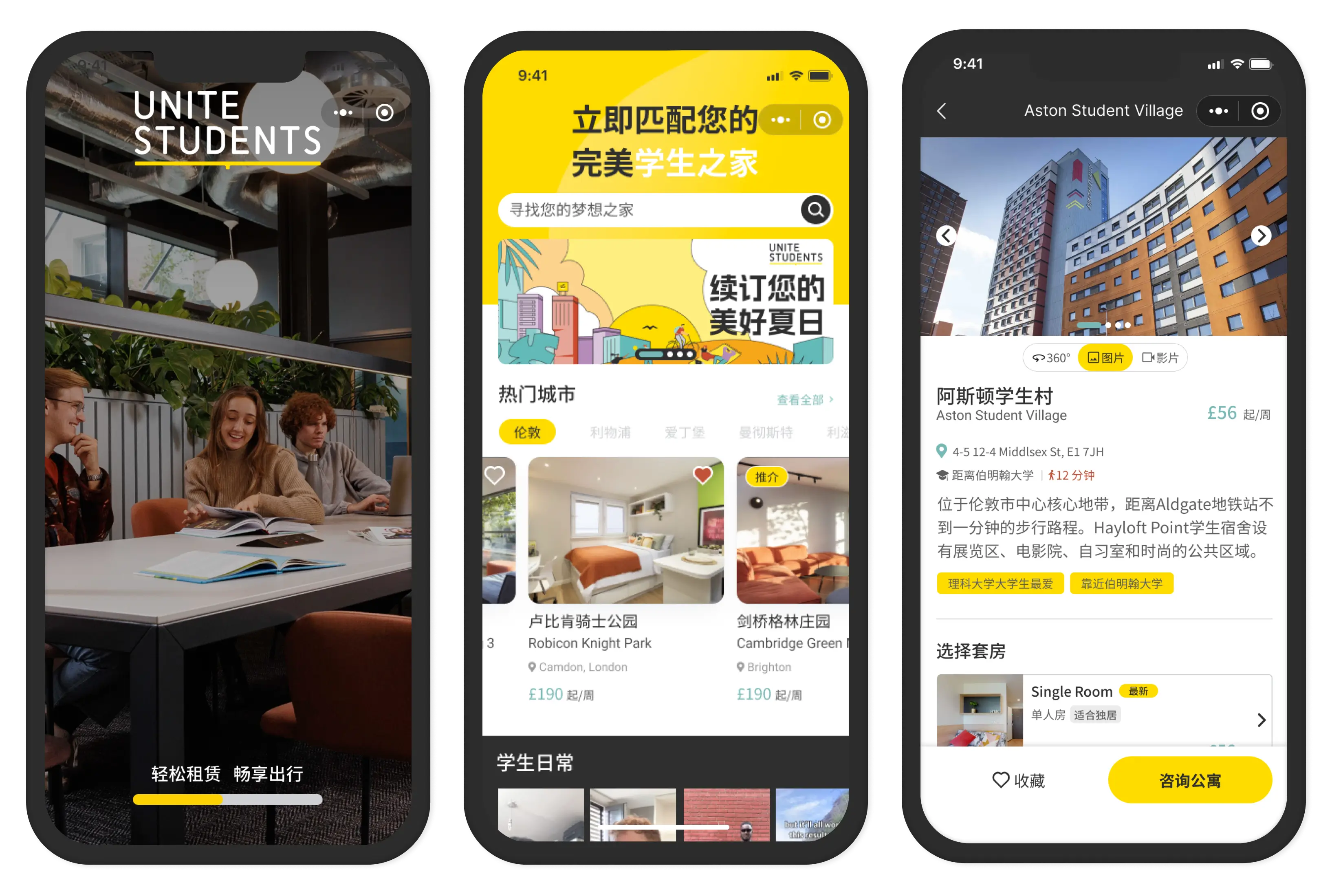
Unite Students is one of the UK's largest student accommodation providers — 26 cities, hundreds of properties, thousands of rooms. They were our biggest client.
Chinese international students were the primary audience. They live on WeChat. They don't download new apps. They browse on mobile. They need everything in Simplified Chinese. And they're making a major life decision — finding a home in a country they've never been to — from a phone screen.
The Mini Program had to feel trustworthy, simple, and familiar. Not like a foreign website. Like something they'd use every day.
What Actually Shipped
Discovery flow
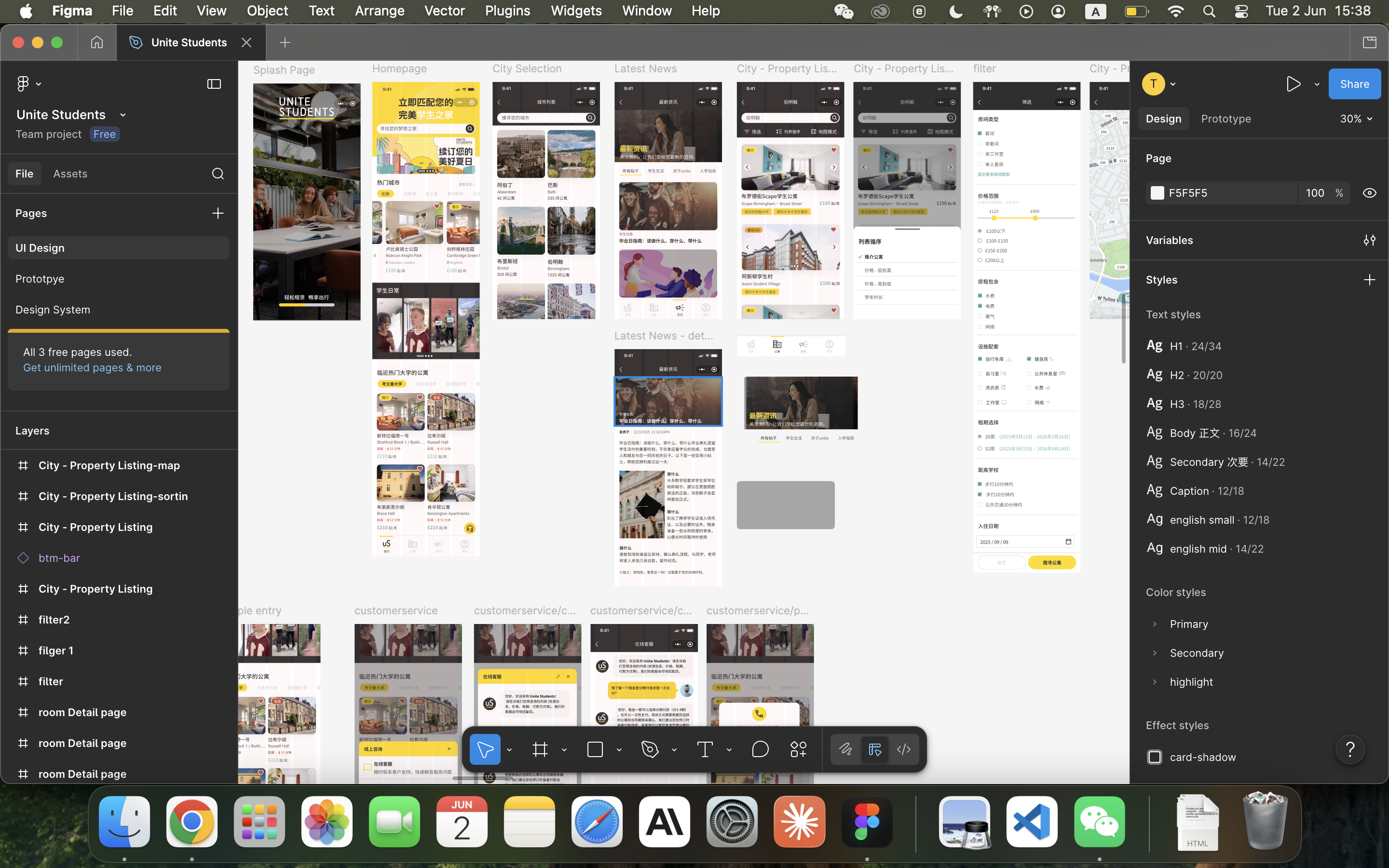
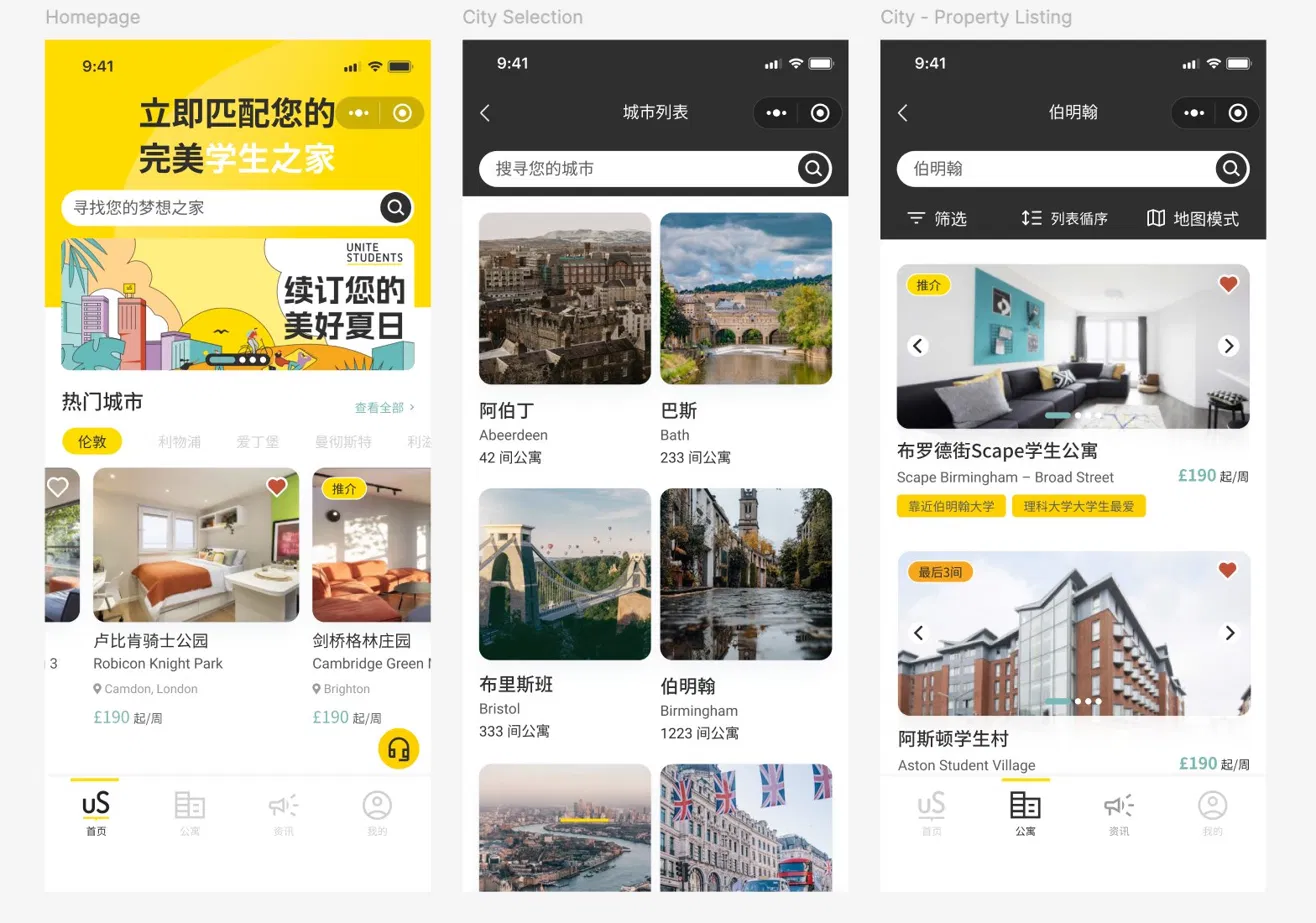
- Splash screen → Homepage with city selector
- Featured properties + university-based browsing
- Articles and promotions for lifestyle content
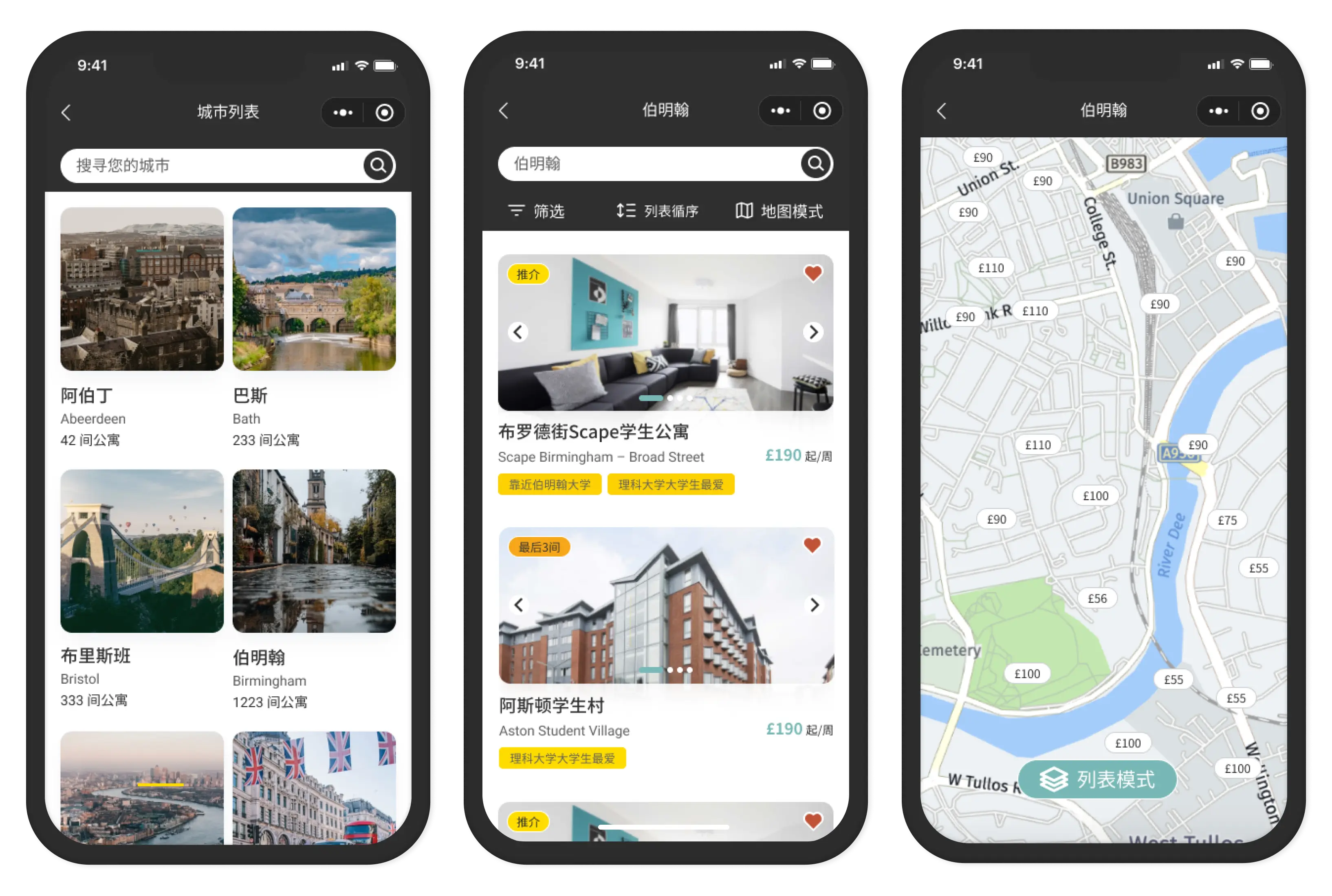
Search & Exploration
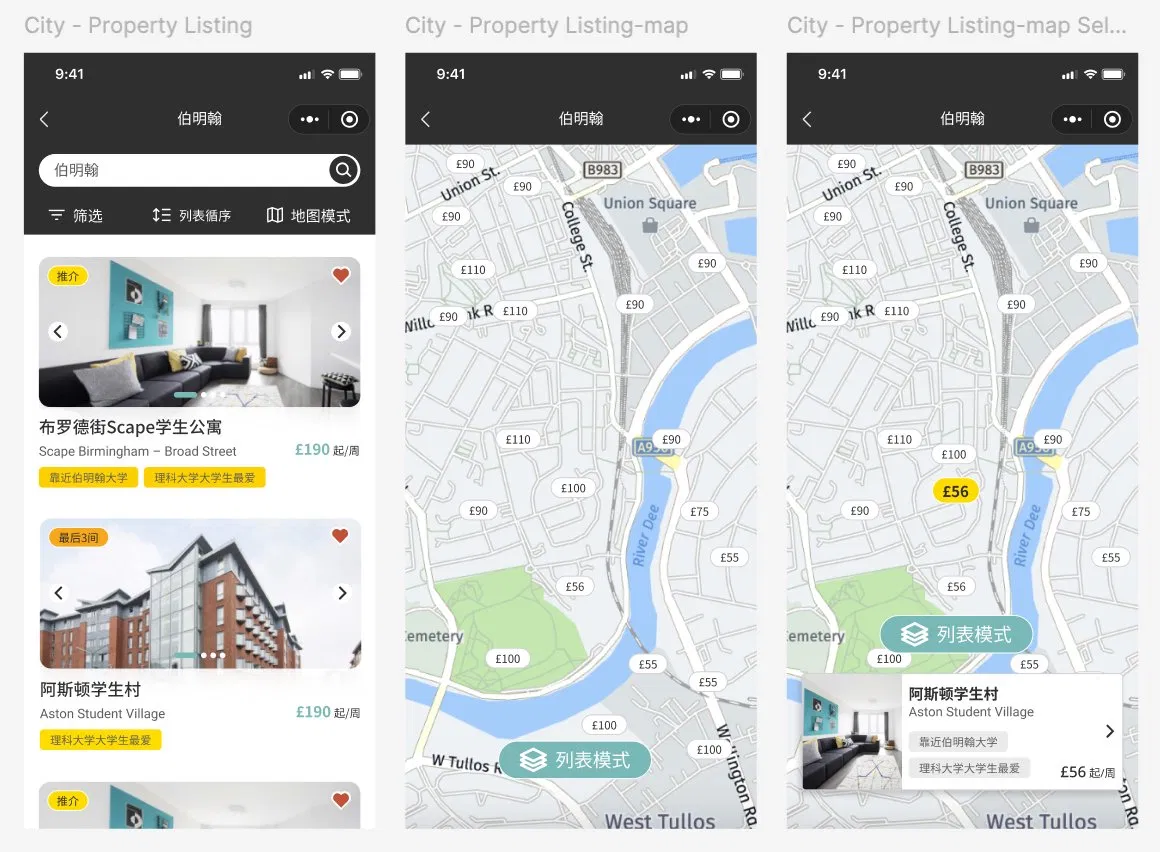
- List view + Map view toggle
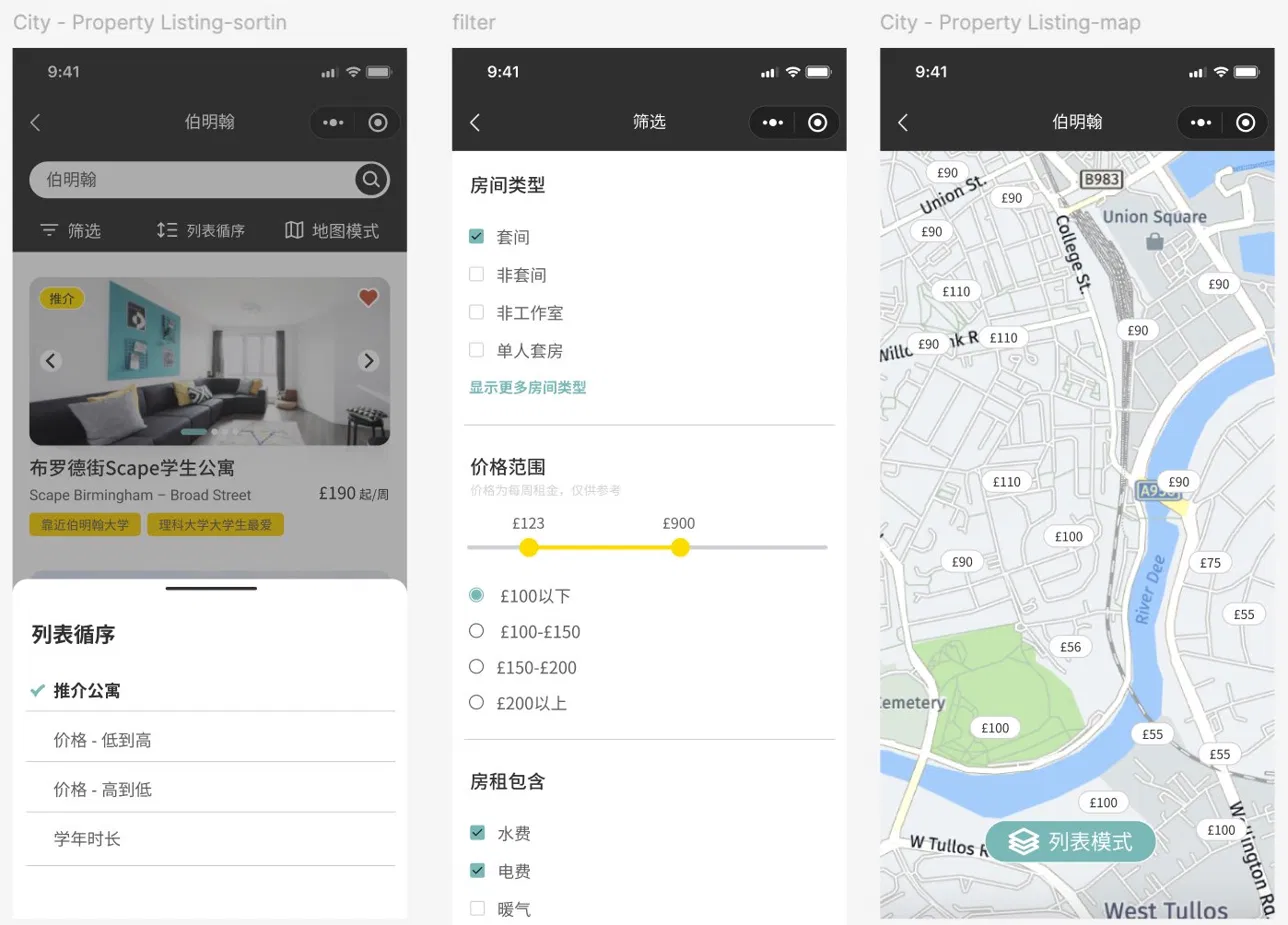
- Filters (room type, price, tenancy length, distance to university)
- Property detail + room detail pages
Support
- WeChat-native chat with sales consultants
- FAQ self-service hub
- Saved favourites
Enquiries
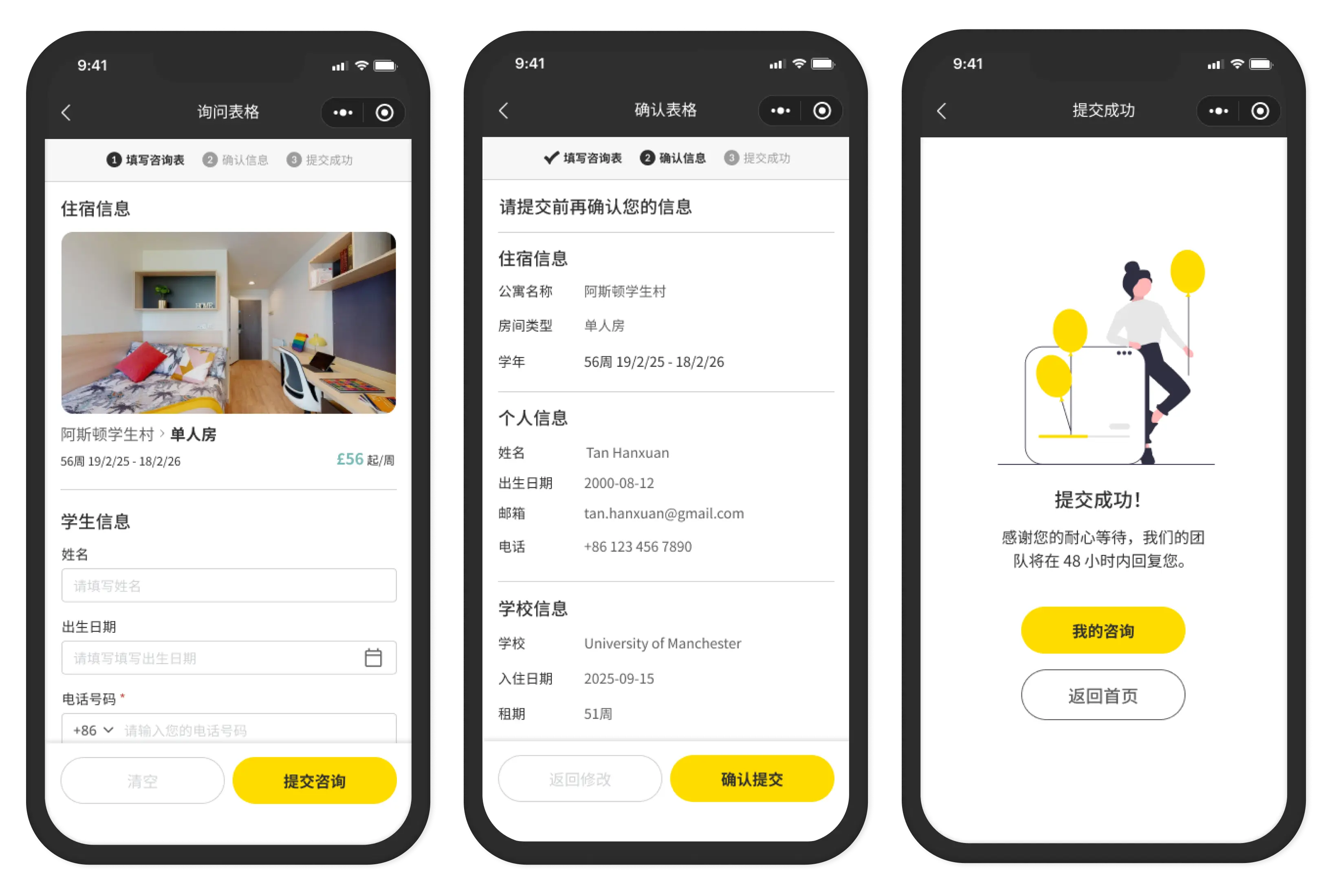
- Simplified enquiry form
- Direct connection to Admin Portal inbox (the other side)
- Confirmation and follow-up tracking
- Timeline
- Oct 2023 - Jan 2024
- Client
- Unite Students (26 cities UK)
- Platform
- WeChat Mini Program
I Handed Off Designs To A Cowboy
The frontend developer building the Mini Program interpreted designs freely. Not maliciously. Just without asking.
Components I designed didn't match WeChat's native component library. He knew this. He didn't tell me upfront. He either built his own version (inconsistent with design) or came back post-design to say "cannot."
What actually happened
- I designed a custom filter modal. He said "cannot" — WeChat has its own native picker.
- I designed custom tab components. He implemented his own version without telling me.
- Discovered gaps during QA, not during handoff.
- What I assumed
- Developers will flag constraints before building.
- What's actually true
- Some developers won't speak up unless you ask directly. He wasn't obstructive — he just operated independently. He needed specifications, not just designs.
- The lesson
- Handoff isn't throwing Figma files over the wall. It's a conversation. I should've asked: "Are there any WeChat platform limits I need to know before I finalize this?" before every major screen.
I Knew WeChat's Rules — After Designing
WeChat Mini Programs have strict UI guidelines. Native components. Navigation patterns. Interaction limits. These aren't optional — they're enforced by the platform.
I should've mapped these constraints at the start of the project. Instead, I designed with full creative freedom, then hit walls during development.
What this cost
- Redesign cycles mid-project
- The developer implementing workarounds (inconsistent UI)
- Features that looked great in Figma but shipped differently
- What I'd do differently
- Before designing any WeChat Mini Program, spend a week mapping platform constraints. What components are native? What interactions are unsupported? What navigation patterns does WeChat enforce? Then design within that reality.
I Had Real Stakeholders And Didn't Document Them
I had real stakeholder conversations with Unite Students' Chinese-speaking reps. Their insights shaped key decisions — city-first navigation, Simplified Chinese, university-proximity filters.
- What I'd do differently
- Document those conversations properly. Decisions are only as strong as the evidence behind them.
What Actually Worked
The enquiry flow: Students could submit an enquiry in under 3 steps. It connected directly to the Admin Portal inbox. The end-to-end loop — student enquires → operator sees it immediately — worked as designed.
City-first browsing: Starting with city selection before property browsing reduced overwhelm. 26 cities, hundreds of properties — without a city anchor, the homepage would've been paralyzing.
WeChat-native chat: Connecting students directly to sales consultants via WeChat chat removed friction. No email. No external form. Just WeChat — the app they were already in.
The Real Realization
The Admin Portal and Mini Program were built by different teams, at different times, with different developers. But the same patterns repeated:
- Silent handoffs produced gaps
- Undocumented decisions became assumptions
- Platform constraints discovered late = expensive rework
The difference: In Admin, the stakeholders appeared post-launch to complain. In Mini Program, the stakeholders were present and helpful — and I still didn't capture what they gave me.
That's the more uncomfortable lesson. Not "stakeholders were difficult." But "I had good input and didn't treat it like evidence."
I had good input and didn't treat it like evidence.
Each covers a distinct part of the student journey:
Entry flow, homepage, city browsing, and the trust signals that matter to international students.
List view, map view, filters — and where WeChat platform constraints hit hardest.
Chat, FAQ, favourites — what students needed vs what we assumed they needed.
The flow that connected both sides: student submits, operator receives.